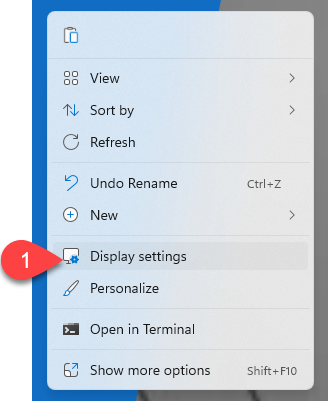
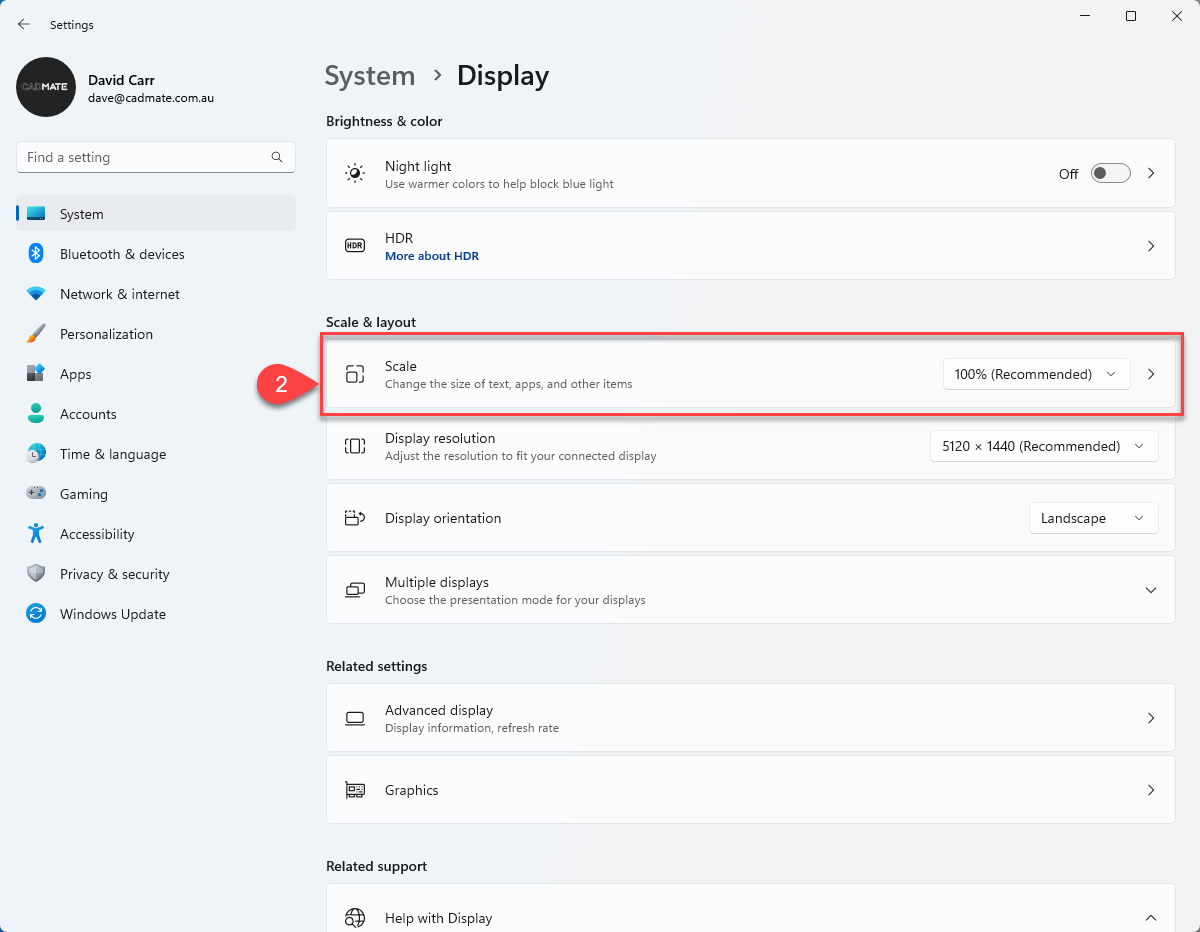
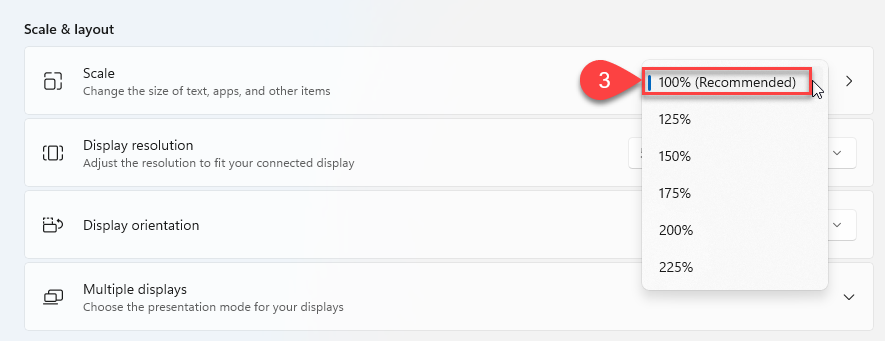
How to change your Windows Display Scale Bill Marsh September 05, 2025 14:12 Updated Right-click on the desktop background and select Display Settings. 2. Locate the Scale Option: 3. Set your Scale to 100% Related articles MultiPrint Dimension Discrepancies How to import DXF files into Mozaik Mozaik MultiPrint Tab - Customer Guide Mozaik Molding Tab - Customer Guide Textures for Hardware not Updating